
 Kia Soul: Battery Cleaning
Kia Soul 2014-2019 PS Service Manual / Engine Electrical System / Charging System / Battery Cleaning
| 1. |
Make sure the ignition switch and all accessories are in the OFF
position.
|
| 2. |
Disconnect the battery cables (negative first).
|
| 3. |
Remove the battery from the vehicle.
|

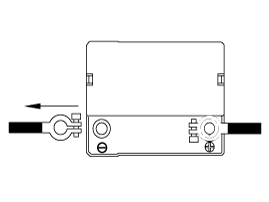
| 4. |
Inspect the battery tray for damage caused by the loss of electrolyte.
If acid damage is present, it will be necessary to clean the area with
a solution of clean warm water and baking soda. Scrub the area with
a stiff brush and wipe off with a cloth moistened with baking soda and
water.
|
| 5. |
Clean the top of the battery with the same solution as described
above.
|
| 6. |
Inspect the battery case and cover for cracks. If cracks are present,
the battery must be replaced.
|
| 7. |
Clean the battery posts with a suitable battery post tool.
|
| 8. |
Clean the inside surface of the terminal clamps with a suitable
battery cleaning tool. Replace damaged or frayed cables and broken terminal
clamps.
|
| 9. |
Install the battery in the vehicle.
|
| 10. |
Connect the cable terminals to the battery post, making sure tops
of the terminals are flush with the tops of the posts .
|
| 11. |
Tighten the terminal nuts securely.
|
| 12. |
Coat all connections with light mineral grease after tightening.
|
 Battery Vehicle parasitic current inspection
1.
Turn the all electric devices OFF, and then turn the ignition
switch OFF.
2.
Close all doors except the engine hood, and then lock all d ...

See also:
Front Seat Shield Outer Cover Component Location
1. Front seat shield outer cover
...
Room Lamp Removal
Room Lamp
1.
Disconnect the negative (-) battery terminal.
2.
Detach the lamp lens (A) from the room lamp with a flat-tip ...
Random
Press the
key
Set [
RDM] through the
TUNE
knob or
key.
Plays all songs in random order.
❈ Press RDM again to turn random off. ...