
 Kia Soul: SOUND SETTINGS
Kia Soul 2014-2019 PS Owner's Manual / Features of your vehicle / SOUND SETTINGS
Press the
 key
key
![[Sound] through](images/books/386/1/page.h201.gif) Select
[Sound] through
Select
[Sound] through
 TUNE knob or
 key
key
 Select menu through
 TUNE knob
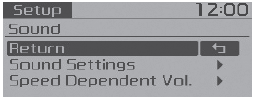
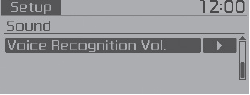
 Media Display
When playing an MP3 file, select the desired display info from ‘Folder/File’
or ‘Album/Artist/Song’.
...
 Sound Settings
This menu allows you to set the ‘Bass, Middle, Treble’ and the Sound Fader and
Balance.
Select [Sound Settings]
Select menu through
TUNE knob
Turn
TUNE knob left/right to set
...
See also:
Adjustment
Clutch Release Cylinder Air Bleeding
Procedure
•
Use the specified fluid. Av ...
Air conditioning
Push the A/C button to turn the air conditioning system on (indicator light will
illuminate).
Push the button again to turn the air conditioning system off. ...
Description
Limitations Of The Navigation system
GPS Signal Reception State
As the GPS satellite frequency is received/transmitted in straight
lines, reception may not work if hiding devices a ...